

Resource Profile:
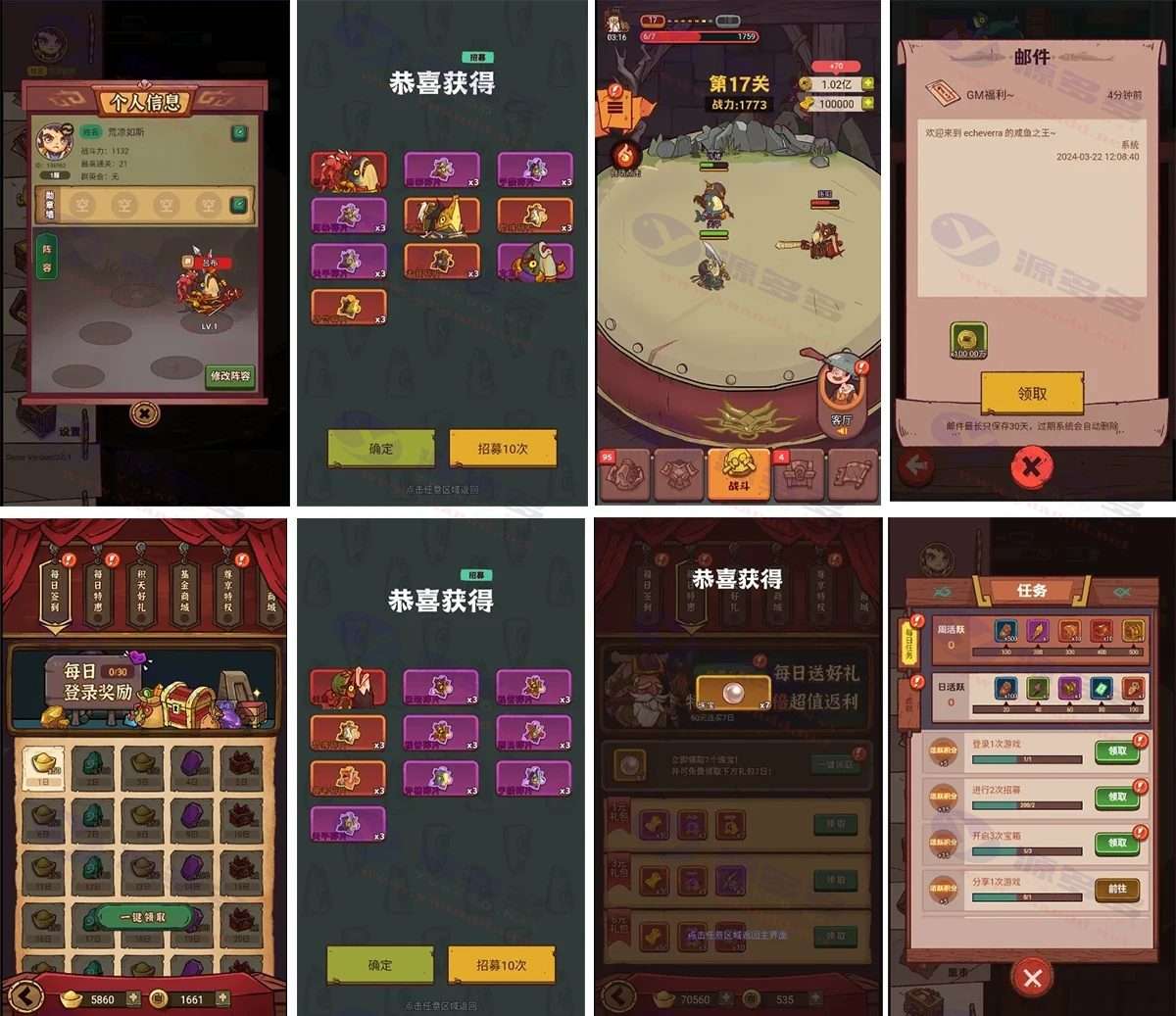
This time, we bring you theKing of the salted fishThe final fix and optimized version for the Android platform, with full in-play support, has fully repaired the various problems existing in the previous version, bringing a smoother game experience. Compared with the earlier H5 version of the online number of limitations and obstacles to the purchase of the client version of the performance of a significant increase in support of large-scale players online at the same time, and props purchase function works perfectly.
Photo Gallery:

Installation and usage instructions:
The following conditions need to be met in order to build a King of Salt game server:
Recommended to use Linux server, CentOS 7.6 version of the system is the most stable
Tencent Cloud Lightweight Application Server is a Cost-Effective Choice
Download this article provided byGame Code包
Pagoda Panel Installation and Environment Configuration
Pagoda Panel is an efficient server administration tool with the following installation commands:
yum install -y wget && wget -O install.sh http://download.bt.cn/install/install_6.0.sh && sh install.shOnce the installation is complete, install the following necessary components via the Pagoda Panel:
- Web Server: Nginx1.18
- Database: MySQL 5.7
- Caching service: Redis 6.27
- NoSQL Database: MongoDB 4.0.10
- Programming language: PHP 7.2
- Database management tool: phpMyAdmin 4.4
The game requires about 1200MB of RAM to run, and will run fine on low configuration servers.
Server security settings adjustment
Execute the following command to disable the firewall via Pagoda Terminal:
systemctl stop firewalld.service
systemctl disable firewalld.service
For ease of configuration, it is recommended that all ports from 1-65535 be opened:
AliCloud Server Configuring Rules in Security Groups
Tencent cloud servers configure rules in the firewall
Open all ports in Pagoda Panel security settings
Game Source Deployment
Upload the xyzw.zip source package to the server root directory and unzip it, execute the permission setting command:
chmod 777 -R /home
chmod 777 -R /www/wwwroot/game
Runtime Environment Configuration
Execute the following command to install the necessary environment:
cd /home/proj
wget https://openresty.org/download/openresty-1.19.3.1.tar.gz
tar -zxvf openresty-1.19.3.1.tar.gz
mv openresty-1.19.3.1 openresty
cd openresty
sudo yum install -y pcre-devel openssl-devel
. /configure
make
make install

echo "openresty environment variables"
echo "PATH=/usr/local/openresty/bin:/usr/local/openresty/nginx/sbin:$PATH
export LC_ALL=en_US.UTF-8
export PATH" >> ~/.bash_profile
source ~/.bash_profile
Source code IP address modification
Replace all 43.143.189.188 in the source code with the actual IP address of your server involving the file included:
- home/proj/common/settings.lus
- home/proj/goserver/admin/assets/web/.env.development
- and multiple other profiles
Database import and configuration
Change the MySQL root password to 123456, and then execute the following command to import the game database:
mysql -uroot -p123456
create database sanguo DEFAULT CHARACTER SET utf8;
flush privileges;
use sanguo
source /home/sql/sanguo.sql
exit;
Website Creation and Configuration
Two game sites need to be created:
- First site: IP:85, root directory /home/proj/goserver/admin/assets/web/dist, PHP 7.2
- Second site: 127.0.0.1:82, root directory /www/wwwroot/game, PHP 7.2
Game Service Startup Process
1. Start the server:
cd /home/proj/apiserver
nginx -p `pwd` -c conf/nginx.conf
2. Generate the key for the first run:
cd /home/proj/skynet
sh getkey.sh
3. Activation of services:
. /skynet ... /loginserver/prodconfig
. /skynet ... /gameserver/prodconfig
cd /home/proj/goserver
nohup . /mygo &
4. Check the port status:
netstat -lntp5. Add the game zone:
Visit the background website IP:85/#/login?next=, default account admin/admin
Add new zones in ”Game Management - Zone Configuration”, set the number of services and end time.
Client-side modifications and signatures
- Decompile xyzw.apk with ApkTool 1.0
- Modify the IP address in the following file:
- assets/assets/main/index.7ab56.js
- assets/assets/resources/import/24/241bc4ec-587f-41fa-a24d-e904c5f906c6.9bd57.json
- smali_classes4\cn\wyyidc\myapplication\LiveLiterals$MainActivityKt.smali
- Compile and sign the APK
- Secondary signing in the emulator using MT Manager
Game Backend Management
Backend address: IP:85/#/login?next=
Default account: admin/admin
Backend functions include:
- Online Player Monitoring
- Mail delivery system
- CDK Redemption Code Generation
- Other Game Management Features


- Can free downloads or VIP member-only resources be commercialized directly?
- The resources on this site are collected and organized through the network, for personal research and study purposes only. The copyright belongs to the legal owner of the software and program code, users should verify the copyright and legality of the resources, prohibited for commercial use, illegal activities or any violation of national laws and regulations.
- Disclaimer of liability for program or code bugs, compatibility issues or functional defects, etc.
- As the resources on this site are collected and organized through the network, not the site's original, it can not fully guarantee its functionality or code compatibility. Users need to verify whether the resources meet the needs of their own, due to the following circumstances lead to losses, this site does not assume any responsibility:
Programs, source code and other computer software resources may contain code vulnerabilities (bugs), compatibility issues or functional defects left by the developer. This site does not provide free repair services for such technical defects, users need to bear the risk of debugging, modification or abandonment of the use.